
Happy Horse 1.1 AI Video Generator
Dynamic Motion, Consistency & Fidelity
Create cinematic videos with more dynamic motion, stronger subject consistency, and higher visual fidelity. Start with a text prompt or upload a reference image and animate it.
Based on the Happy Horse 1.1 release theme. Prompt guide | Pricing
Prompt
A professional ballet dancer performs a powerful grand jete leap across a dimly lit stage, arms outstretched, legs split perfectly in mid-air. The camera follows her in slow motion as she spins into a series of rapid fouettes, tutu flowing dramatically. Spotlights cast long shadows. Cinematic full-body shot, 10 seconds, ultra HD, dynamic motion blur.
Credit usage: 720P — 2 credits/s · 1080P — 3 credits/s
Release Focus
More dynamic motion.
Stronger consistency. Higher fidelity.
More Dynamic Motion
Happy Horse 1.1 is positioned around livelier motion: stronger subject movement, clearer camera travel, and more energetic pacing for action-heavy scenes.
- More readable action beats
- Smoother camera push, orbit, and tracking shots
- Better tempo for short-form social clips
Stronger Consistency
The 1.1 experience emphasizes keeping the same subject, product, and visual identity intact while the shot evolves over time.
- More stable characters and products
- Better source-image preservation in I2V
- Cleaner continuity across iterative prompt tests
Higher Visual Fidelity
Outputs are framed around sharper visual detail, richer light, and a more polished cinematic look from the first generation draft.
- More detailed surfaces and environments
- Cleaner lighting and atmosphere
- Better commercial-ready preview quality
Generation Modes
Create from text
or animate an image
Text-to-Video for dynamic scenes
Write a prompt with action, camera, lighting, atmosphere, and audio direction. Happy Horse 1.1 is best introduced as a faster way to turn scene ideas into moving video.
Image-to-Video for consistent subjects
Start from a reference image when you need a product, character, or visual concept to remain recognizable while motion is added.
Capability Upgrades
Happy Horse 1.1: More Dynamic Motion, Stronger Consistency, and Higher Visual Fidelity
Since the release of Happy Horse 1.0, creator workflows have expanded across short drama, e-commerce advertising, brand marketing, and CG. Happy Horse 1.1 introduces upgrades across motion expressiveness, character consistency, instruction following, text stability, and cinematic camera language.
1. Significantly Improved Motion Expressiveness: Smoother Actions and Stronger Kinetic Tension
Happy Horse 1.1 improves dynamic quality in complex action scenes. Motion feels more natural, coherent, and visually powerful, with less sluggish pacing and clearer physical force.
Happy Horse 1.0
Happy Horse 1.1
Prompt Direction
[Core Logic: Cause & Effect Chain] 1. Initiation: Protagonist (Female Student) is cornered. Opponent 1 lunges with a right punch. 2. Reaction & Momentum: Protagonist does NOT just dodge; she uses the opponent's momentum. She sidesteps left, grabbing Opponent 1's wrist to pull him off-balance. Her body rotates with the pull, using centrifugal force. 3. Environmental Interaction: As she spins, her foot kicks a loose chair leg. The chair slides across the floor (friction visible), tripping Opponent 2 who was rushing in. 4. Flow Transition: The spin continues. She releases Opponent 1, who crashes into a desk (wood splinters, papers fly). Her momentum carries her forward over the desk surface (parkour vault). 5. Landing & Reset: She lands on the other side of the desk in a crouch, absorbing impact. Opponent 3 hesitates. She rises smoothly, ready for the next engagement. Note: Every movement must have a clear physical cause. No floating, no sudden stops without deceleration. [Visual Style & Camera Sync] Style: Gritty Realism, High-Budget Action Cinema. Natural light, dust motes, sweat, worn textures. Camera: "Physical Participant" perspective. - When she pulls Opponent 1, camera whips LEFT to follow the rotation. - When the chair slides, camera tilts DOWN to track the obstacle. - When she vaults, camera BOOMS UP rapidly to match her vertical leap. - Handheld shake matches the intensity of impacts. - Foreground obstruction: desks and arms frequently block the lens briefly to enhance depth and chaos. [Character & Environment Details] Protagonist: Agile, wearing standard Japanese high school uniform (blazer/skirt or tracksuit), hair tied back but loosening. Movements are grounded, feet always interacting with floor friction. Opponents: Three aggressive males, reacting realistically to pain and balance loss (stumbling, flailing arms). Environment: Cluttered classroom. Desks are heavy (don't fly like cardboard). Papers swirl in turbulent air currents caused by movement. Sunlight creates dynamic shadows that move with the characters. [Negative Prompts - Logic Specific] No teleporting, no instant direction changes without weight shift, no floating limbs, no enemies standing still after being hit, no magical effects, no slow-motion unless specified, no static background, no repetitive loops, no distorted anatomy during rapid motion, no clipping through objects.
2. Stronger Subject Consistency and More Accurate Multi-Reference Fusion
Happy Horse 1.1 better preserves subject identity, product details, and reference-image intent when multiple visual references are used in image-to-video workflows.
Happy Horse 1.0
Happy Horse 1.1
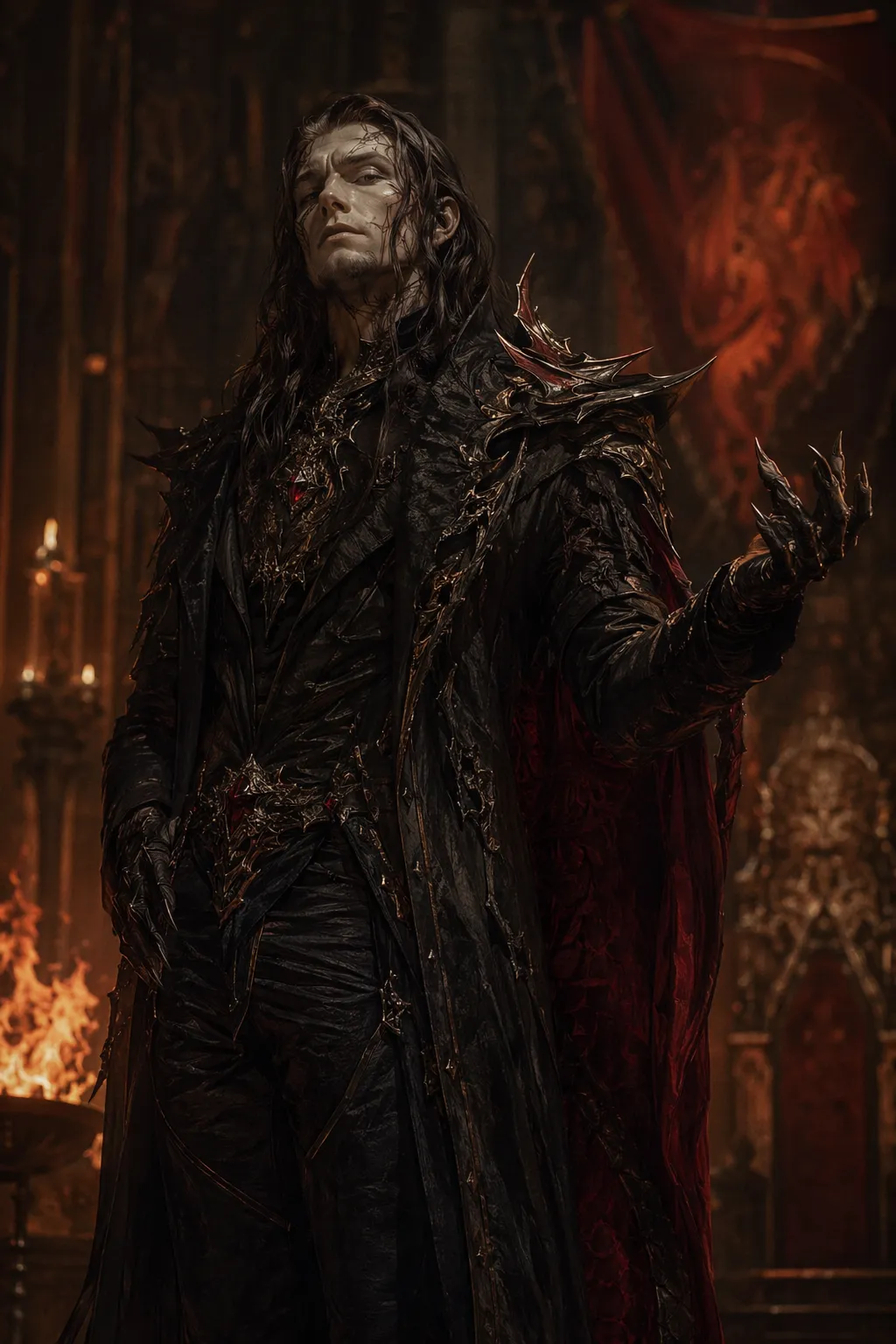
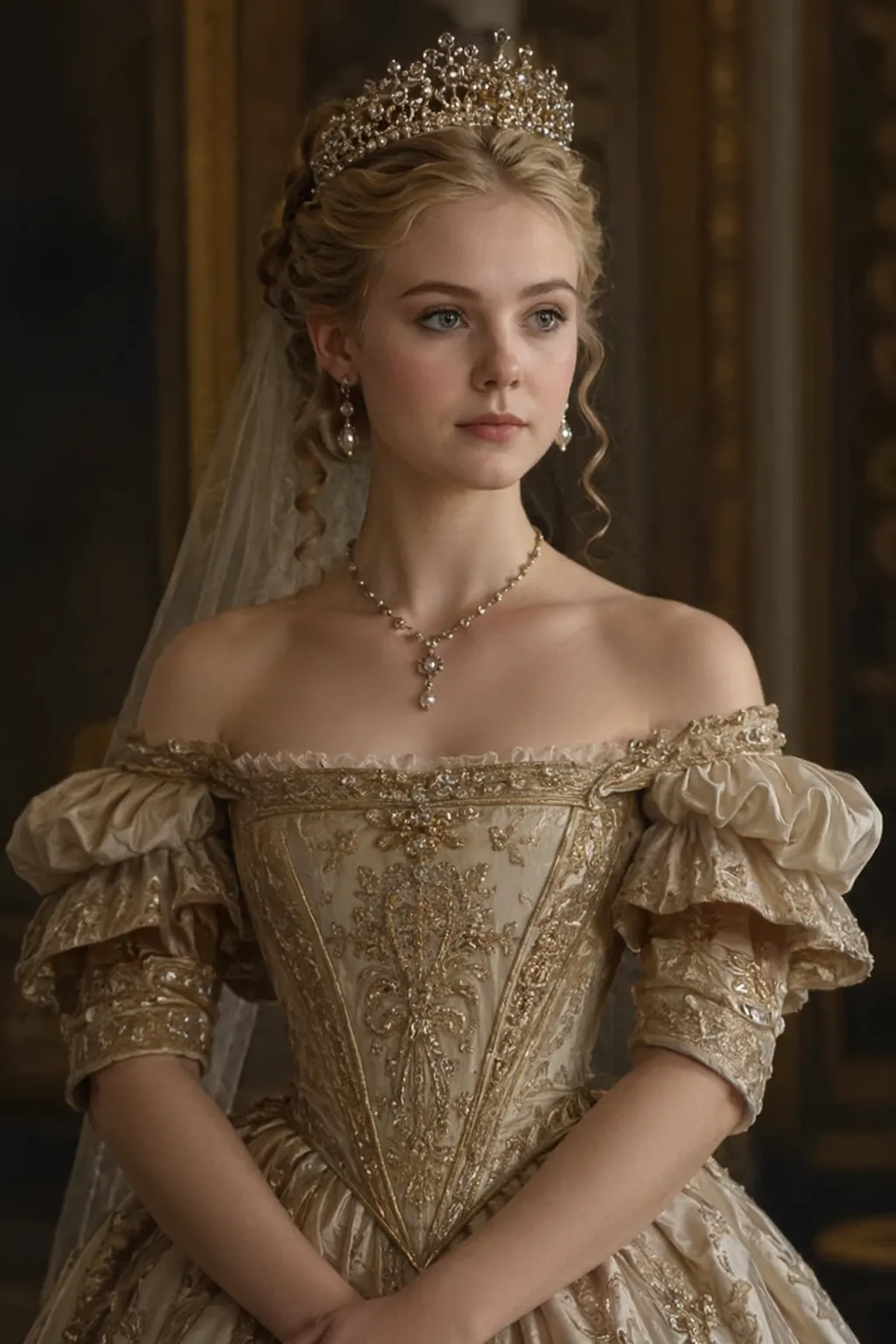
Prompt Direction
R2V Prompt: The princess [Image 2] was imprisoned in bedroom and be threatened by the dragon man [Image1]. They had a long dialogue.
3. Improved Instruction Following: Smarter Narrative Planning and Better Understanding of User Input
Happy Horse 1.1 is designed to better understand complex prompts, scene planning, character relationships, and camera sequence requirements.
Happy Horse 1.0
Happy Horse 1.1
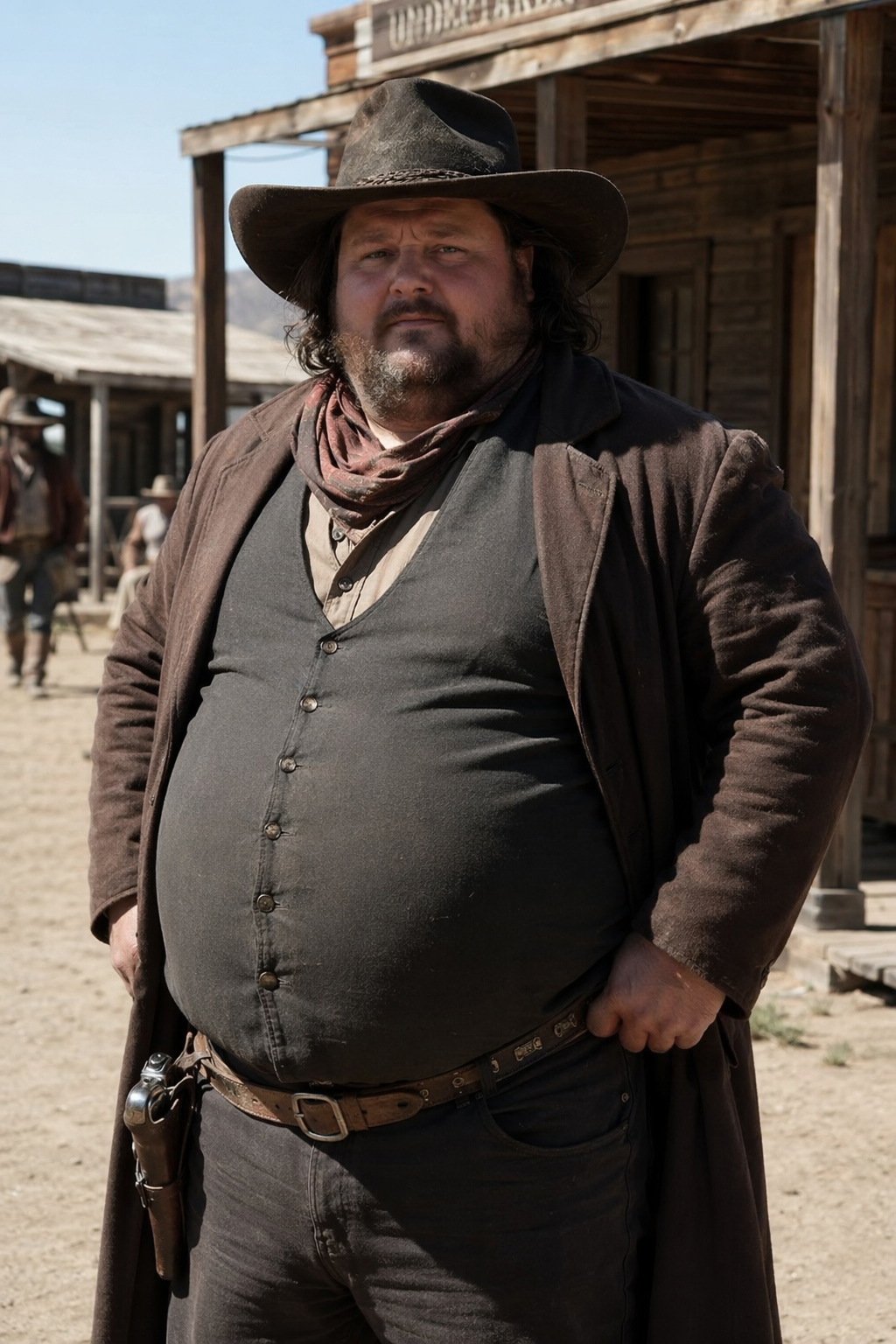
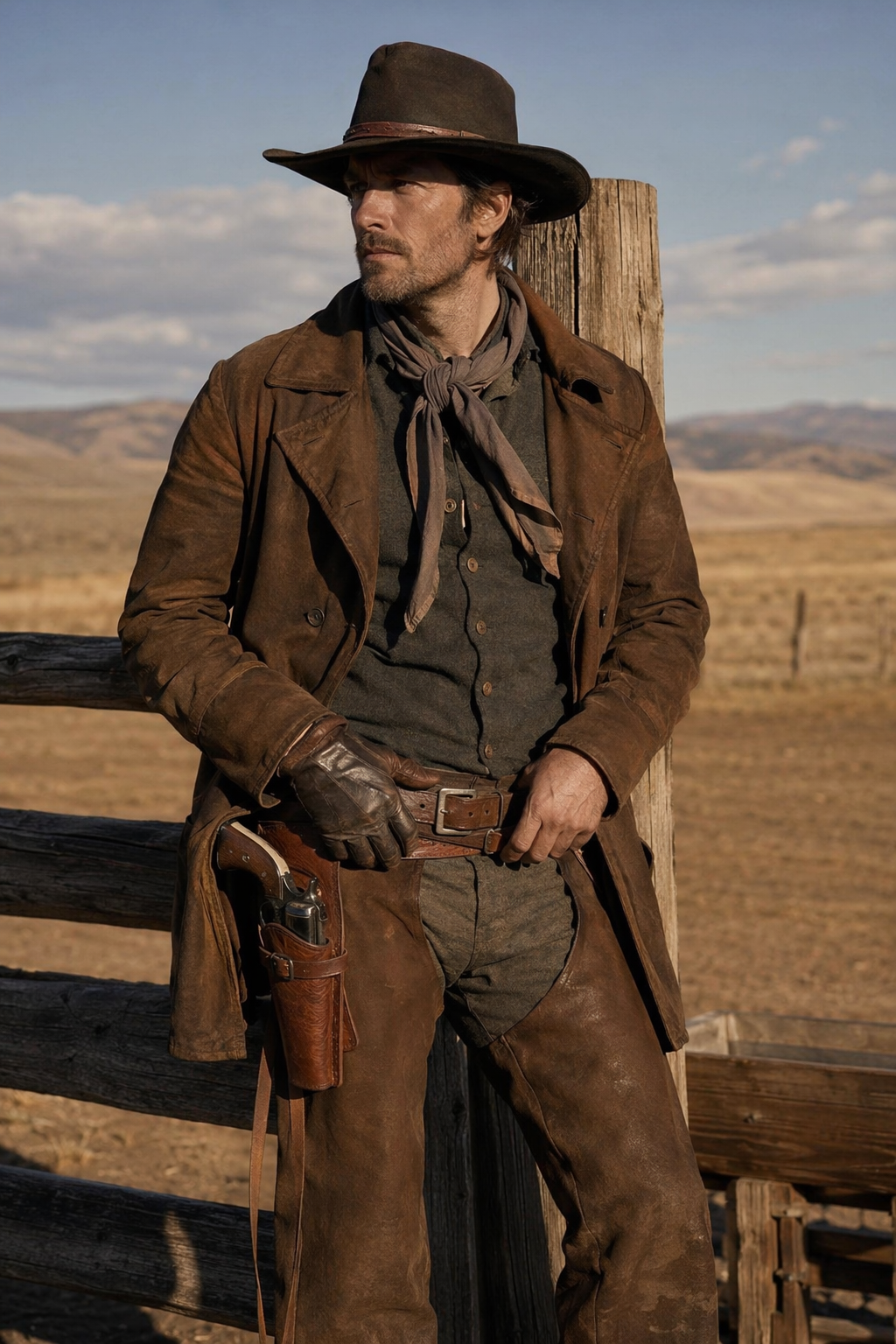
Prompt Direction
R2V Prompt: Two cowboys, [Image 1] and [Image 2], are drinking in a bar and talking about their future. The two have an extended dialogue.
4. Upgraded Visual Quality: More Detailed and Realistic Imagery
Happy Horse 1.1 focuses on richer visual detail, more natural lighting, better texture rendering, and more realistic cinematic framing.
Happy Horse 1.0
Happy Horse 1.1

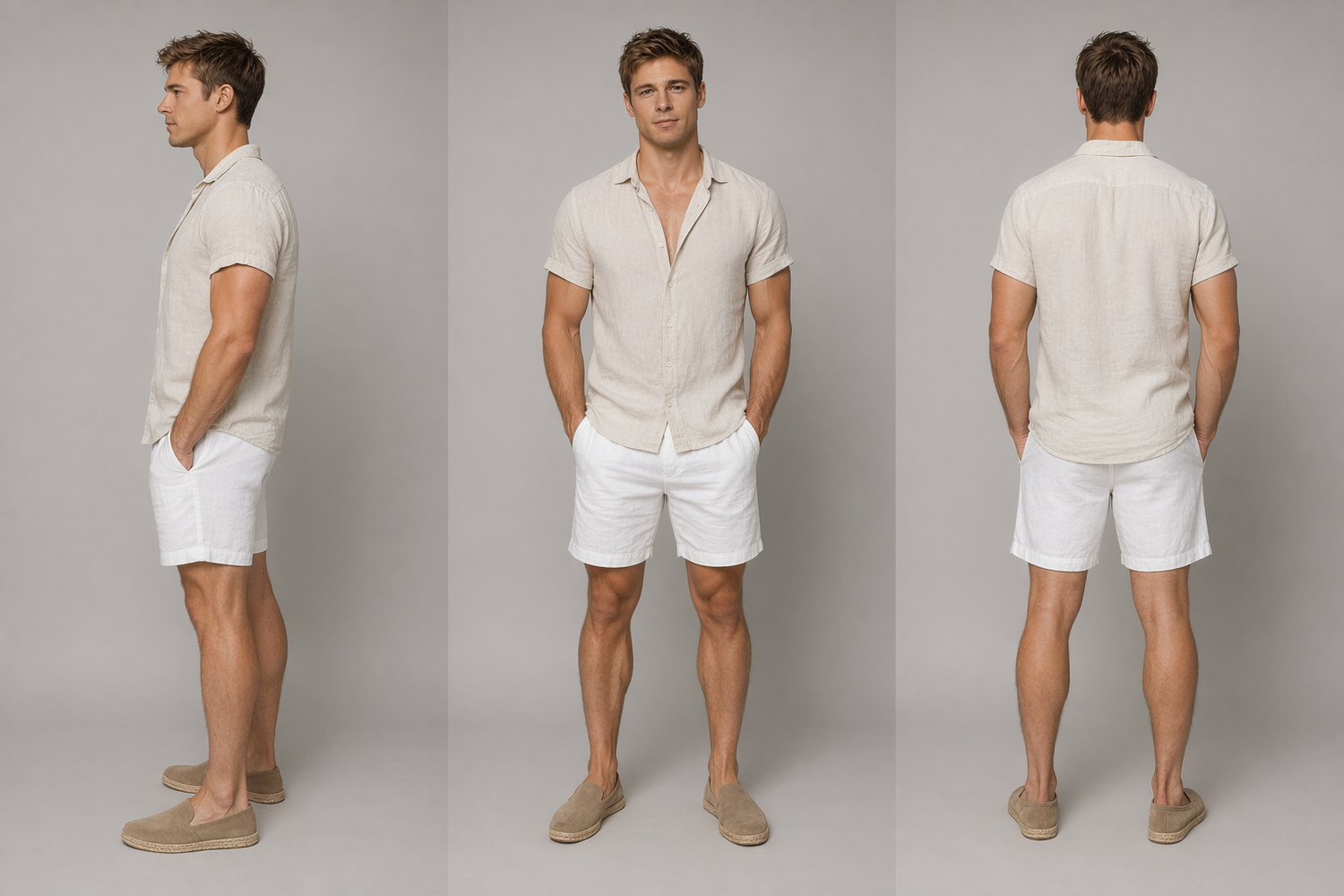
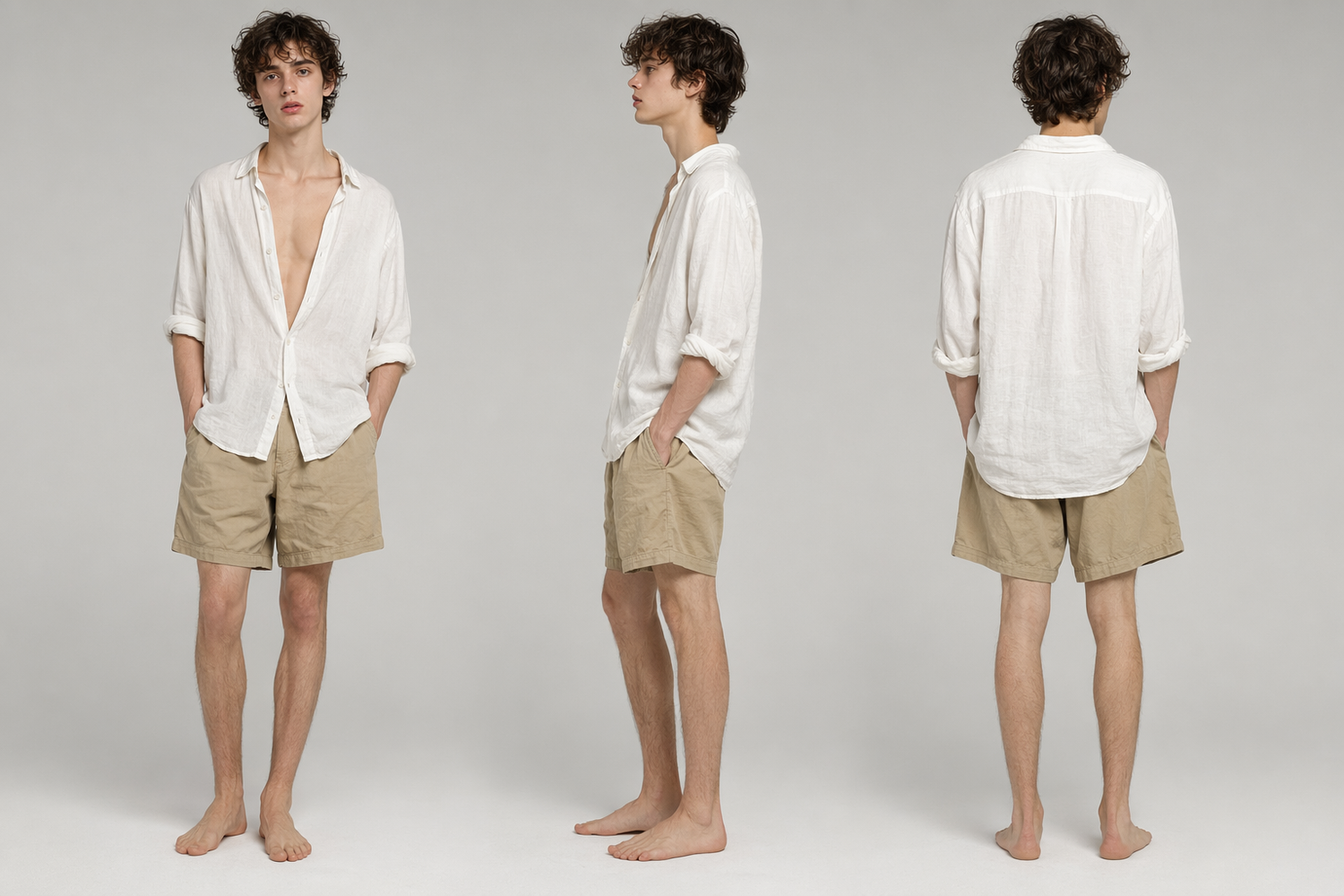
Prompt Direction
R2V Prompt: 0-4 Seconds: The shot opens with a close-up of Julian@Image3, seated on the left@Image1. He speaks softly, his voice gentle and thoughtful: "Nietzsche said that youth is an untamed flame." His demeanor is open and vulnerable, inviting a response. 4-9 Seconds: The camera slowly pans right to reveal Matteo seated on the adjacent chair. The frame widens to show both men. Matteo holds an old leather-bound book.@Image2 He subtly shifts his posture, allowing his knee to gently rest against Julian's. He turns a page in his book, the sound crisp in the quiet air. Without looking up immediately, he responds in a calm, grounded voice: "Flames need oxygen, Julian. Otherwise, they only burn themselves out." A gentle breeze rustles the leaves above and lightly moves the fabric of Julian's white linen shirt, adding a sense of movement and life to the scene. 9-13 Seconds: Julian tilts his head, his expression shifting from curiosity to a playful, challenging warmth. He asks, "Then are you willing to be my oxygen?" The question hangs in the air, light yet significant. Matteo pauses. The casual atmosphere deepens into something more profound. He closes the book in his hands, the action deliberate and final. His gaze lifts to meet Julian's. 13-15 Seconds: Matteo leans forward, closing the physical distance between them. Julian's eyes blinked. The scene abruptly cuts to a symbolic insert shot: a ripe, fuzzy peach hanging from a tree branch in the garden below. The stem snaps silently. The peach falls in slow motion, tumbling through the air, and lands softly on the grass.
5. Upgraded Audio Expression: More Accurate Audio-Visual Sync and Richer Sound Details
Happy Horse 1.1 highlights more natural audio-video expression, making sound feel more connected to on-screen actions, scene rhythm, and narrative timing.
Happy Horse 1.0
Happy Horse 1.1
Prompt Direction
T2V Prompt: [Scene] A kitchen at dusk. The range hood hums softly, soup simmers over low heat on the stove, and steam blurs the window glass. [Subjects] The mother stands with her back to the camera, chopping vegetables, her shoulders tense. The daughter sits on a dining chair holding her phone, though her eyes are not on the screen. [Motion] When the daughter begins to speak, the knife in the mother's hand does not stop. When the mother replies, her hand slows for a second. The camera observes from the side in a static shot; the two never make eye contact. [Audio] [Daughter, tentative, like dropping a pebble into water]: "Mom, I want to change jobs." [The chopping sound pauses for a beat, then continues.] [Mother, voice tightly controlled]: "We'll talk after dinner." [Silence. The soup bubbles once.] [Daughter, even softer]: "Can you listen to me first?" [The chopping stops. Completely.]
Workflow
Prompt for the 1.1 strengths
then iterate inside the generator
Read the full prompt guide for advanced formulas and examples
1
Start with action
Name the movement first: running, rotating, drifting, zooming, revealing, lifting, or transforming.
2
Lock the subject
Describe the product, character, outfit, or source image details that must remain consistent.
3
Direct the camera
Add camera terms like tracking shot, dolly forward, orbit, crane up, handheld, or macro close-up.
4
Add fidelity cues
Specify lighting, texture, lens, atmosphere, color grade, and environmental details.
5
Generate a first draft
Use the embedded generator to produce the first pass directly from this 1.1 page.
6
Iterate with intent
Change one detail at a time so each generation improves motion, consistency, or fidelity.
Pricing
Happy Horse 1.1 pricing
Happy Horse 1.1 is free to try in the browser with no sign-up. Paid plans are one-time credit packs - you keep your credits, with no monthly subscription.
Starter
$9.9one-time
- 99 credits included
- $0.10 per credit
- Create HD text-to-video or image-to-video clips with natural native audio
- 720p export, No watermark download
- Commercial use license
- Standard queue speed
- Email support
Basic
$29.9one-time
- 330 credits included
- $0.085 per credit
- Faster HD generation for daily content
- Text to Video & Image to Video with native audio
- 1080p export, No watermark download
- Commercial use license
- Priority queue speed
- Priority support (email)
Plus
$49.9one-time
- 600 credits included
- $0.083 per credit
- Scale creative runs with better stability and look
- Text to Video & Image to Video with native audio
- 1080p export, No watermark download
- Commercial use license
- Faster priority queue + up to 5 concurrent jobs
- Priority support
Professional
$99.9one-time
- 1250 credits included
- $0.079 per credit (best value per credit)
- High-volume, professional delivery and teams
- Text to Video & Image to Video with native audio
- 1080p export, No watermark download
- Commercial use license
- Fastest queue + up to 10 concurrent jobs
- Full effects pack + early access to new features
- 24/7 priority support
- Bulk processing
- API access (coming soon)
FAQ
FREQUENTLY ASKED
QUESTIONS
What is the focus of Happy Horse 1.1?
Can I generate videos from the 1.1 page?
What kind of content should I use Happy Horse 1.1 for?
Does Happy Horse 1.1 support image-to-video?
Get Started
Try Happy Horse 1.1
free.
Start from a prompt or image, generate a draft, then refine motion, consistency, and visual fidelity.